


Step 1: Access the online account portal to begin setting up your Penguin Random House Business Account
If you’re a librarian and have not ordered from Penguin Random House before, you can create a business account by filling out an application through our online account application portal. If you have any questions about the application, please reach out to our New Accounts team at newaccount@prh.com.

Find your account number on your invoice
Step 2: Register for our online PRH Self-Service website and make ordering even easier
The Penguin Random House Self-Service site offers a fast, reliable, and easy way to order books, track shipments, and place claims. Easy 24/7 ordering along with quick and transparent shipment tracking means you can focus more on growing your business.
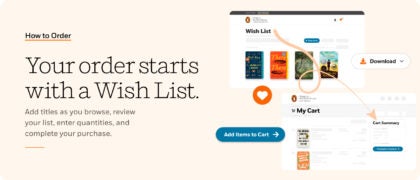
When you register with PRH Self-Service, you can then also sign in on this site, Penguin Random House Library Marketing—using the same email address and password—and can send your Wish List directly to your PRH Self-Service shopping cart. Ordering your favorite titles from PRH Library Marketing just became even faster and easier!
If you’re interested in setting up a Self-Service account, please read more about how to register here or visit Penguin Random House Self-Service , click on “Register Now” in the upper righthand corner, and follow the steps to register an account today.
Still have questions?